Removing a Payment Method
Administrator
Administrators can remove the card on file at any time from the Billing screen.
-
1
Open Billing & Subscription
From Settings, tap into the Billing screen as an Administrator.
-
2
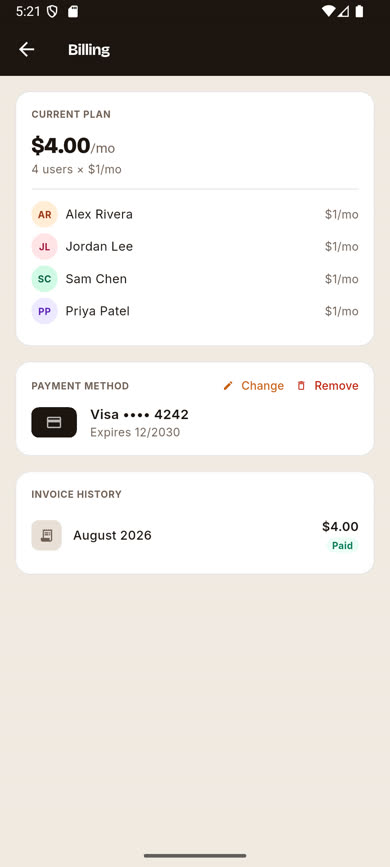
Tap Remove
Next to the card shown in the Payment Method card, tap Remove.
-
3
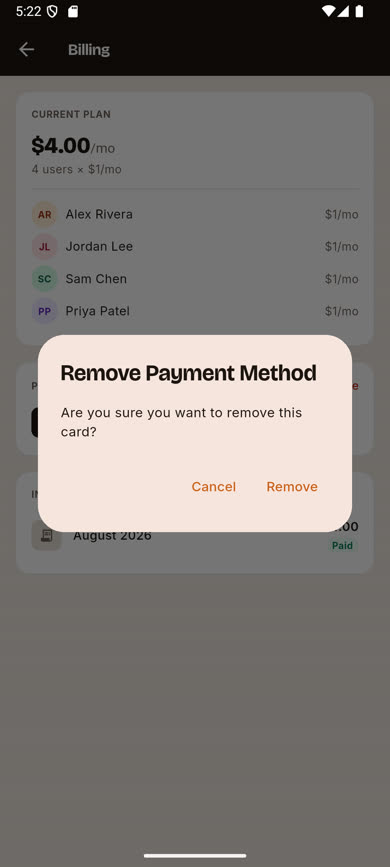
Confirm the removal
A confirmation dialog appears — tap Remove again to confirm.
Was this article helpful?