Searching and Filtering Tasks
All roles
Once a location has more than a handful of tasks, the search box and status tabs help you find what you’re looking for quickly.
-
1
Type into the search box
At the top of the Tasks screen, tap the Search… field and start typing. The list filters live, matching against task titles as you type.
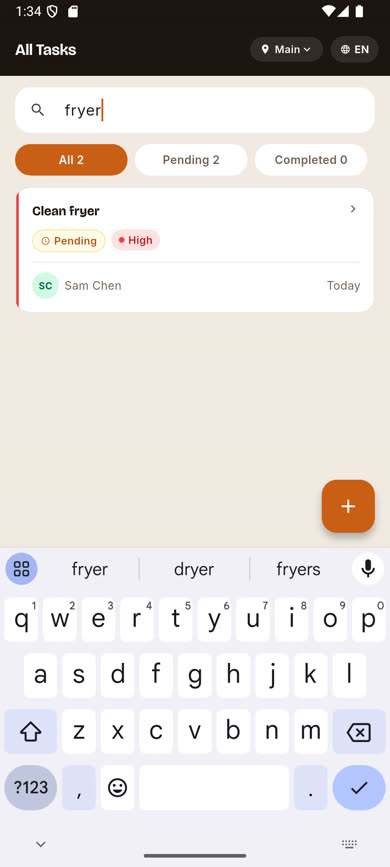
-
2
Combine it with a status tab
Search works together with the All/Pending/Completed tabs above the list, so you can, for example, search within just your pending tasks.
-
3
Clear the search
Clear the text from the search field to return to the full list.
Was this article helpful?