Signing a User Out Remotely
Administrator
If someone’s phone is lost, or you just need to force a re-login, Administrators can end a user’s active session without removing their account.
Note.You can’t revoke your own session this way, for the same reason you can’t delete your own account.
-
1
Find the user
On the Users screen, locate the person whose session you want to end.
-
2
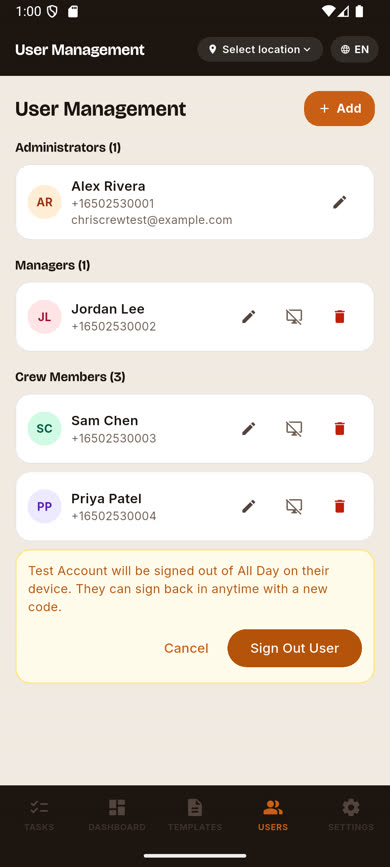
Tap the sign-out icon
It’s the middle icon on their row (between Edit and Delete). An inline confirmation replaces the row.
-
3
Confirm
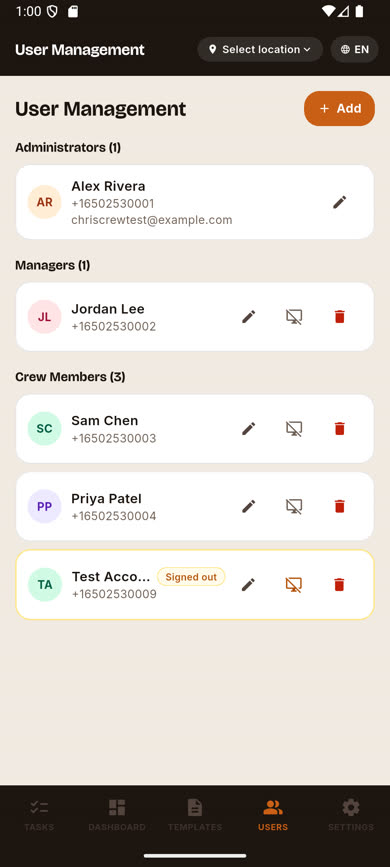
Tap Sign Out User. This takes effect within moments — their app is signed out on its next request, not after their session merely expires on its own.
-
4
They can sign back in any time
This doesn’t remove their account — they can sign in again immediately with a fresh verification code.
Was this article helpful?