Verifying a Completed Task
ManagerAdministrator
Tasks created with "Requires verification" turned on need a manager or admin to review the completion photo and sign off before the task is considered fully closed.
-
1
Open the completed task
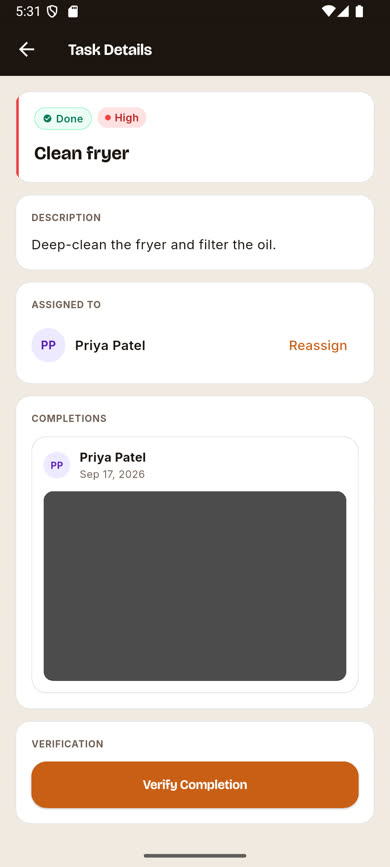
From the task list, tap a task showing a Done status. If it needs verification, a VERIFICATION section appears at the bottom with a Verify Completion button.
-
2
Review the completion
Scroll to the COMPLETIONS section to see who completed the task, when, and their submitted photo.
-
3
Tap Verify Completion
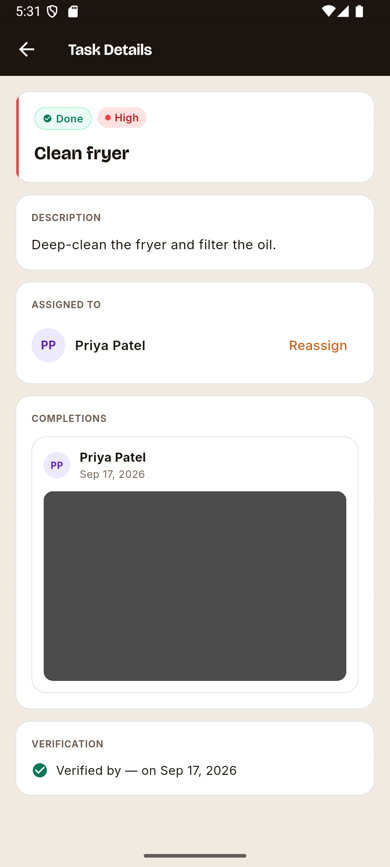
This records that a manager or admin has reviewed and approved the work. The VERIFICATION section updates to show who verified it and when.
Was this article helpful?