Translating a Task's Title or Description
ManagerAdministrator
When creating a task, you can write it in one language and have All Day translate it into the other automatically, so crew always see task instructions in their preferred language.
-
1
Write the task in one language first
On the Create Task screen, fill in the Task Title and Description on the EN (or ES) tab as normal.
-
2
Switch to the other language tab
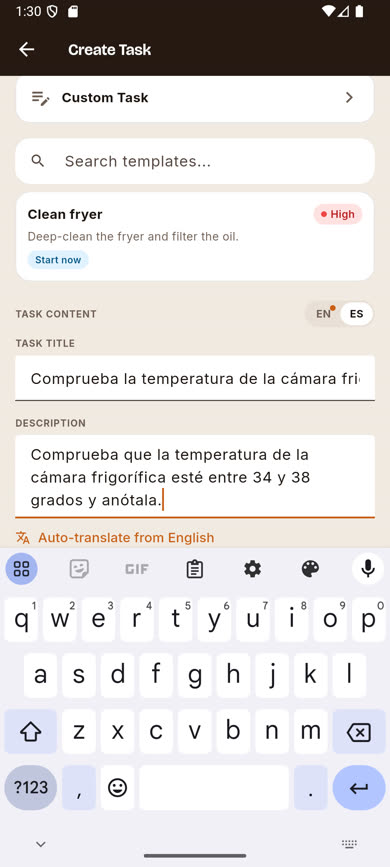
Tap ES (or EN) next to TASK CONTENT. A dot appears on the tab you came from to remind you it has unsaved content, and an Auto-translate from English (or Spanish) link appears.
-
3
Tap the auto-translate link
All Day sends the text to a translation service and fills in the title and description in the other language within a couple of seconds.
-
4
Review and adjust if needed
The translation is editable like any other field — fix anything that doesn’t read naturally before creating the task.
Was this article helpful?