Creating Your Organization
Administrator
If your restaurant is new to All Day, you'll create the organization yourself — this automatically makes you its Administrator and sets up your first location.
Note.Only one location is created automatically at signup. All Day doesn’t currently have an in-app way to add further locations — contact support@all-day.app if your restaurant has more than one.
-
1
Tap "New restaurant? Create an account"
On the welcome screen, tap the link below the sign-in form to start the signup flow instead of signing in.
-
2
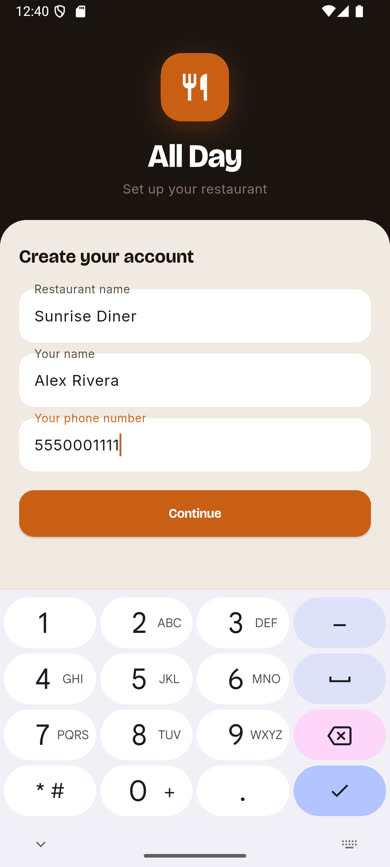
Fill in your restaurant and your name
Enter your restaurant’s name, your own full name, and your phone number, then tap Continue.
-
3
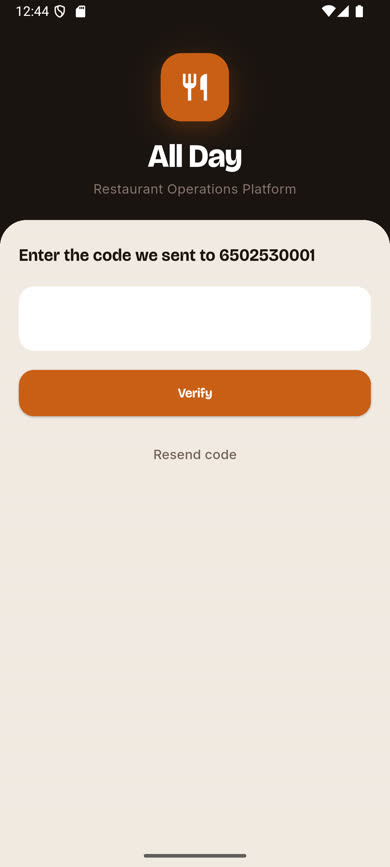
Verify your phone number
Enter the 6-digit code sent to the number you entered and tap Verify.
-
4
You're in as Administrator
Your organization is created with one starting location, and you’re signed in as its Administrator right away. From here, head to Team & Users to invite your managers and crew.
Was this article helpful?