Viewing Your Plan and Billing Summary
Administrator
All Day is billed per active user, per month. Administrators can see exactly what makes up the bill at any time.
-
1
Open Settings, then Billing & Subscription
From the Settings tab, tap the Billing & Subscription row (Administrators only — it doesn’t appear for Managers or Crew).
-
2
Review your plan
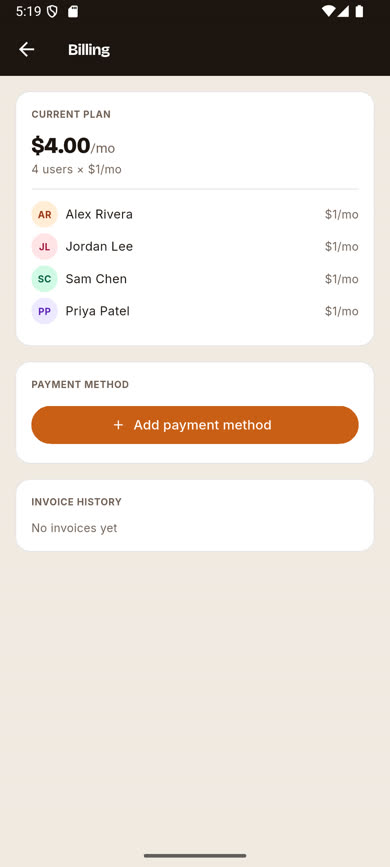
The CURRENT PLAN card shows your total monthly cost and a per-seat breakdown listing every billed user by name.
-
3
Seats update automatically
Your seat count and total adjust automatically whenever you add or remove a user — there’s nothing to update manually.
Was this article helpful?