Signing In
All roles
All Day doesn't use passwords. You sign in with a one-time code sent to your phone or email, the same way every time.
-
1
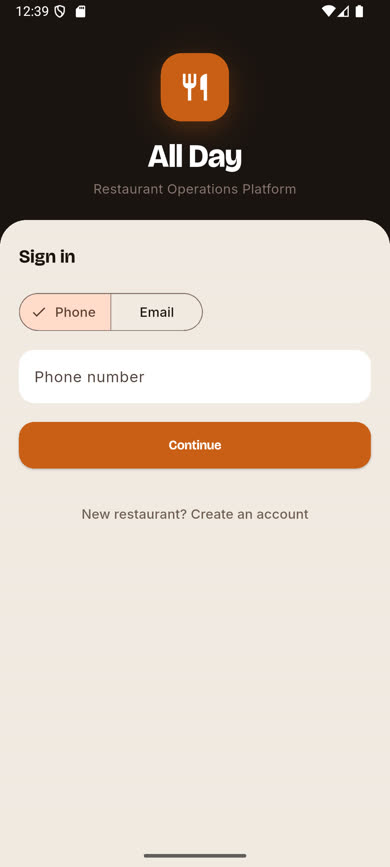
Open the app and choose Phone or Email
On the welcome screen, pick whichever contact method your organization has on file for you — Phone is selected by default. Crew and managers most often use phone; email works the same way.
-
2
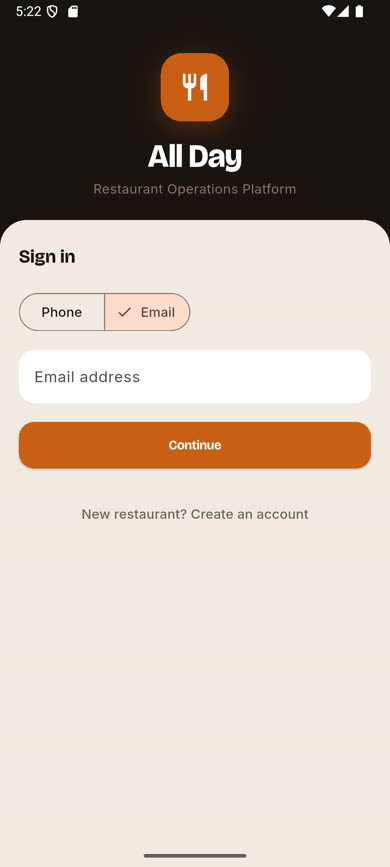
Enter your number or address and tap Continue
Type the phone number or email your admin used when they added you as a user, then tap Continue.
-
3
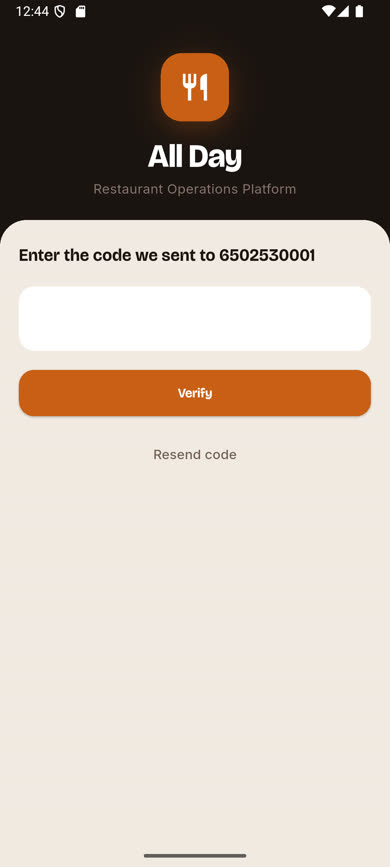
Enter the 6-digit code
A code arrives by SMS or email within a few seconds. Enter it and tap Verify. If it doesn’t arrive, tap Resend code.
-
4
If you're on more than one team
If your phone or email is linked to more than one restaurant, you’ll be asked which one to sign in to — see Choosing an organization.
Was this article helpful?