Removing a User
Administrator
When someone leaves, Administrators can remove their account. Their pending tasks are automatically reassigned to the admin who removes them, so nothing gets orphaned.
Note.You can’t remove your own account this way — the trash icon doesn’t appear on your own row.
-
1
Find the user
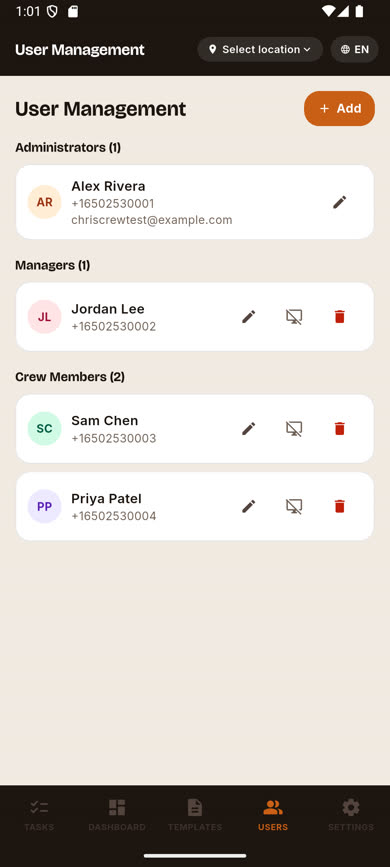
On the Users screen, locate the person you want to remove.
-
2
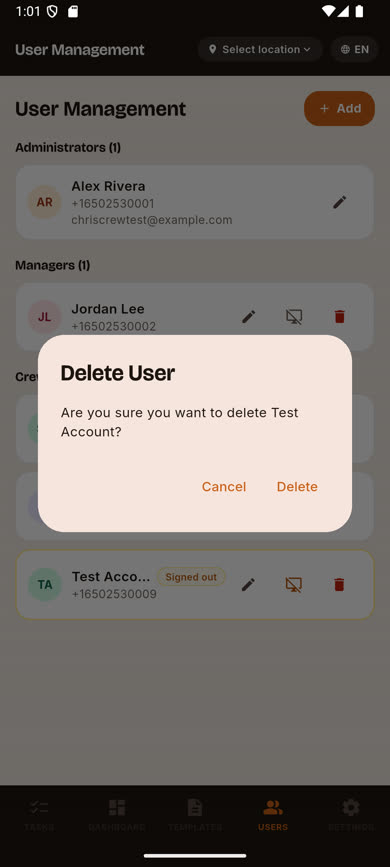
Tap the trash icon
It’s on the right side of their row, next to Edit and Sign Out. A confirmation dialog appears.
-
3
Confirm the removal
Tap Delete to confirm. Their account is deactivated, their sessions are ended, and any tasks still pending for them move to you.
Was this article helpful?