Switching Locations
AdministratorManager
Organizations with more than one location let Administrators switch which one they’re viewing at any time. Managers and Crew are always fixed to their own single location and don’t get a switcher.
Note.Managers see their location as a fixed, non-interactive badge instead of a dropdown, since they only ever work at one location. Crew see no location control at all.
-
1
Find the location pill in the header
Administrators see a pill in the top header showing the current location name with a dropdown arrow, next to the language toggle.
-
2
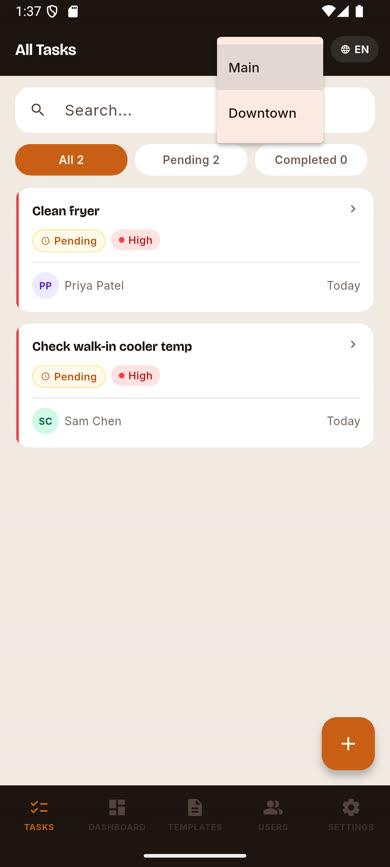
Tap it to open the list
Every location in your organization appears in a dropdown.
-
3
Pick a location
Tapping a location switches your Tasks, Dashboard, Templates, and crew-assignment lists to that location immediately.
Was this article helpful?