Changing Your Email Address
All roles
Like your phone number, your primary email is a login credential, so changing it requires verifying the new address first.
-
1
Open Settings and tap Change next to your email
In the Contact Info card, tap Change next to your current email (or Add Email if none is set).
-
2
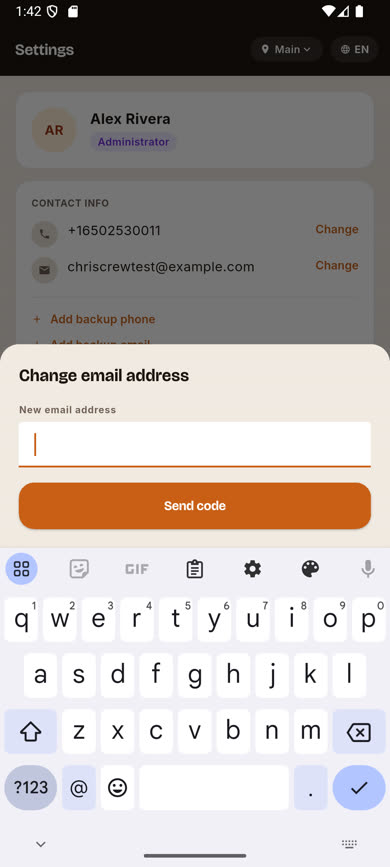
Enter your new address and send the code
Type the new email address and tap Send code.
-
3
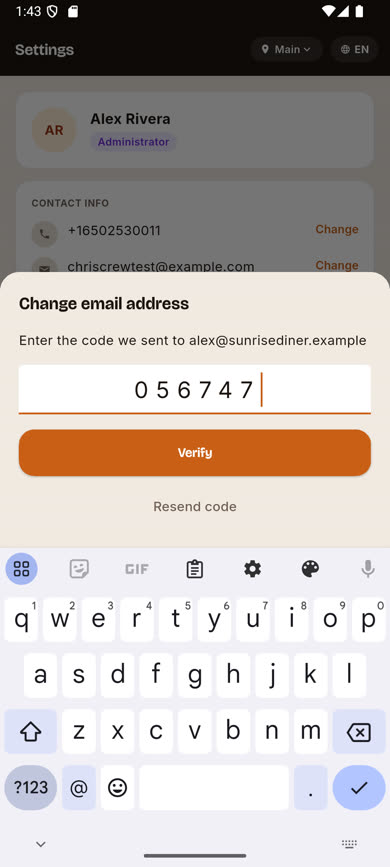
Enter the verification code
Check the new inbox for a 6-digit code, enter it, and tap Verify.
-
4
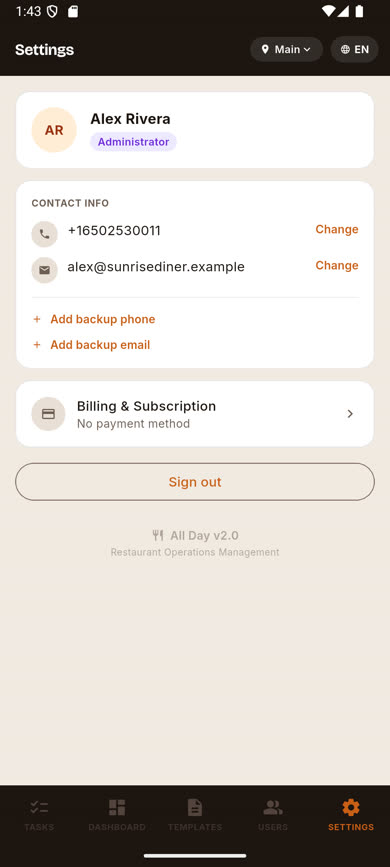
Your email updates immediately
The new address now shows in your Contact Info card.
Was this article helpful?