Viewing Invoice History
Administrator
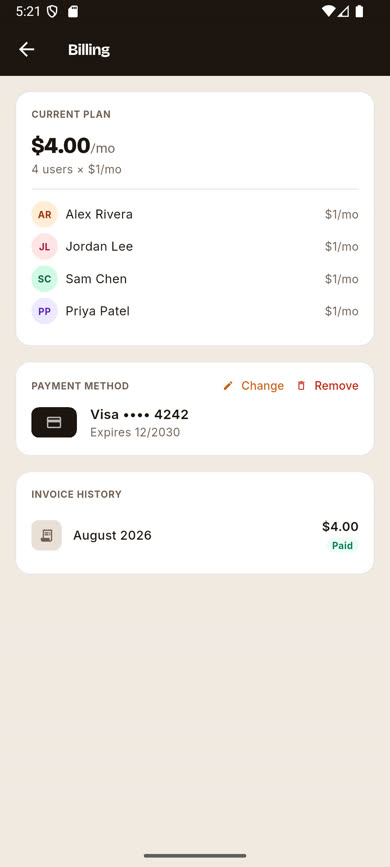
Every past billing cycle is listed on the Billing screen so Administrators can review what was charged and when.
-
1
Open Billing & Subscription
From Settings, tap into the Billing screen as an Administrator.
-
2
Scroll to Invoice History
Each past invoice is listed with its billing period, total amount, and status (Paid or Due).
Was this article helpful?