Choosing an Organization
All roles
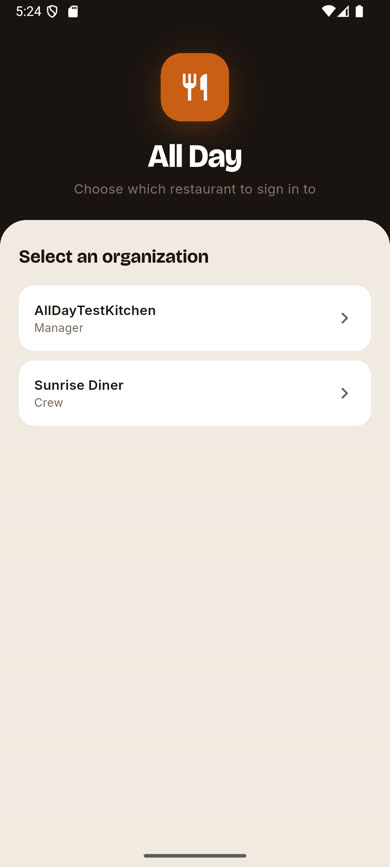
If the same phone number or email address is used at more than one restaurant on All Day, you’ll be asked which one to sign in to after entering your verification code.
-
1
Verify your code as usual
Complete the phone or email sign-in steps normally — see Signing in.
-
2
Pick a restaurant
A list appears showing every organization your identity belongs to, along with your role at each one. Tap the one you want to sign in to.
-
3
You’re signed in
You land in the app scoped to that organization only. To switch to your other organization later, sign out and sign back in, then pick the other one from this same list.
Was this article helpful?