Editing a Task Template
Administrator
Administrators can update a template’s wording, priority, recurrence, or location coverage at any time.
Note.Editing a template only affects future tasks created from it — tasks already created keep their own copy of the title, description, and priority at the time they were created.
-
1
Find the template
On the Templates screen, locate the template you want to change.
-
2
Tap Edit
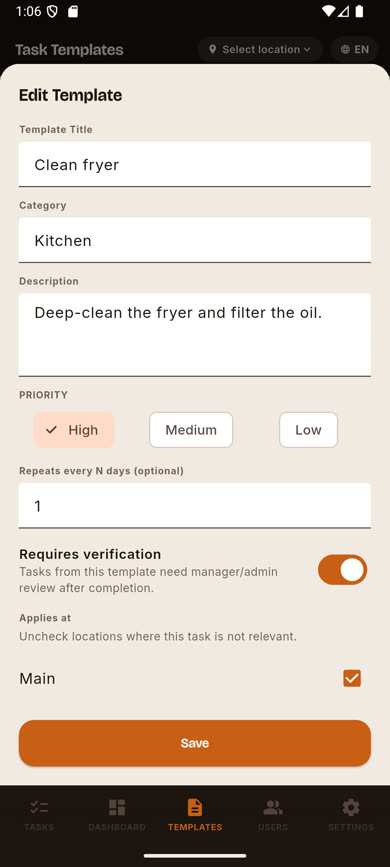
Tap the Edit link on the template’s card to open the same form used to create it, pre-filled with its current values.
-
3
Make your changes and save
Update whatever needs changing and tap Save.
Was this article helpful?