Viewing Task Templates
ManagerAdministrator
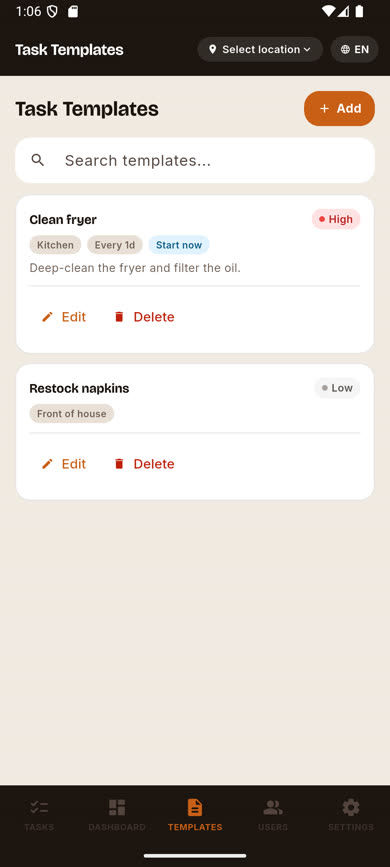
Task templates are reusable task definitions — recurring checklist items like "Clean fryer" or "Restock napkins" — that save you from typing the same task out every time. Crew don’t have access to this screen.
Note.Managers see this list read-only. Only Administrators can create, edit, or delete templates.
-
1
Open the Templates tab
It’s in the bottom navigation, between Dashboard and Users. Only visible to Managers and Administrators.
-
2
Browse the list
Each template card shows its title, description, priority, and a due-status chip (like "Start now") based on how often it repeats and when it was last completed at the location you’re viewing.
-
3
Search templates
Use the search box above the list to filter by title, the same way task search works.
Was this article helpful?