Editing a User
Administrator
Administrators can change a user’s name, role, or location assignment at any time.
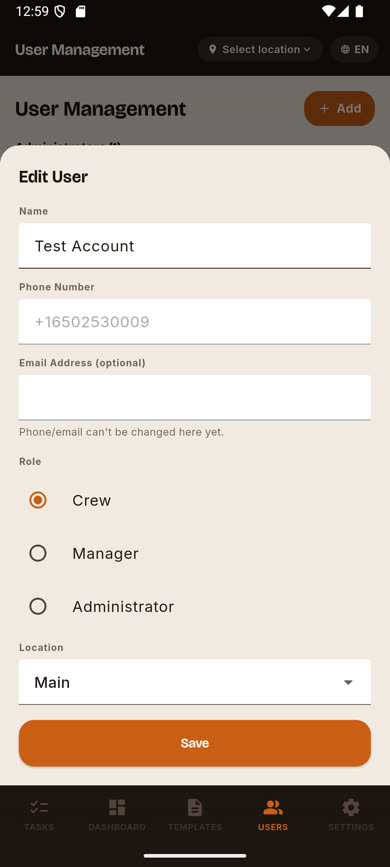
Note.Phone and email can’t be changed from this form — those are login-identifying and can only be changed by the user themselves, from their own Settings screen, through a verified request. See Changing your phone number.
-
1
Find the user
On the Users screen, locate the person you want to edit.
-
2
Tap the edit (pencil) icon
It’s on the right side of their row. The same form used to invite them opens, pre-filled with their current details.
-
3
Update their role or location
Change the Role radio selection and/or Location as needed, then tap Save.
Was this article helpful?