Inviting a New User
Administrators add new team members by phone number (or email). The person claims their own account the first time they sign in with a verification code — there’s no separate password to set up.
-
1
Tap + Add on the Users screen
Only Administrators see this button.
-
2
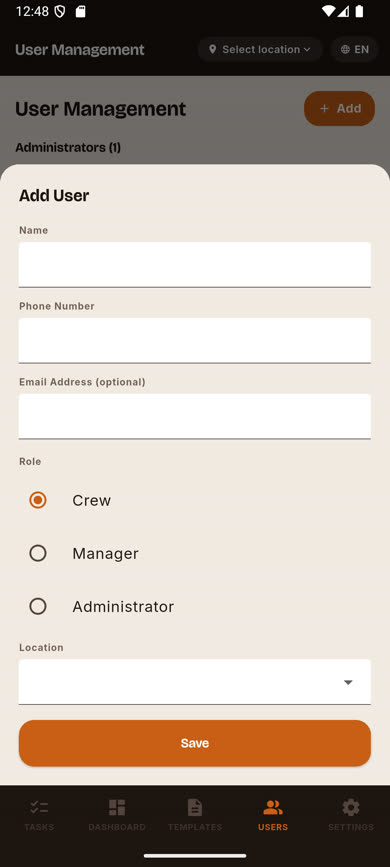
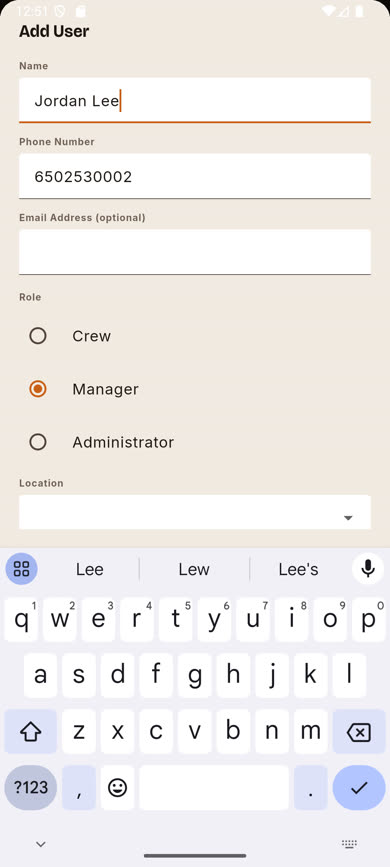
Fill in their name and contact info
Enter their Name and at least a Phone number or Email address (one is required, both are fine).
-
3
Choose a role
Pick Crew, Manager, or Administrator. Managers and Crew also require a Location; Administrators don’t, since they span every location.
-
4
Pick their location and save
For Manager or Crew, choose which location they belong to, then tap Save.
-
5
They claim their account by signing in
The new user appears in the list right away with an "invited" status. The first time they sign in with their phone or email and a verification code, their account is fully active — no separate acceptance step.
Was this article helpful?